1. Start with the evidence boundary
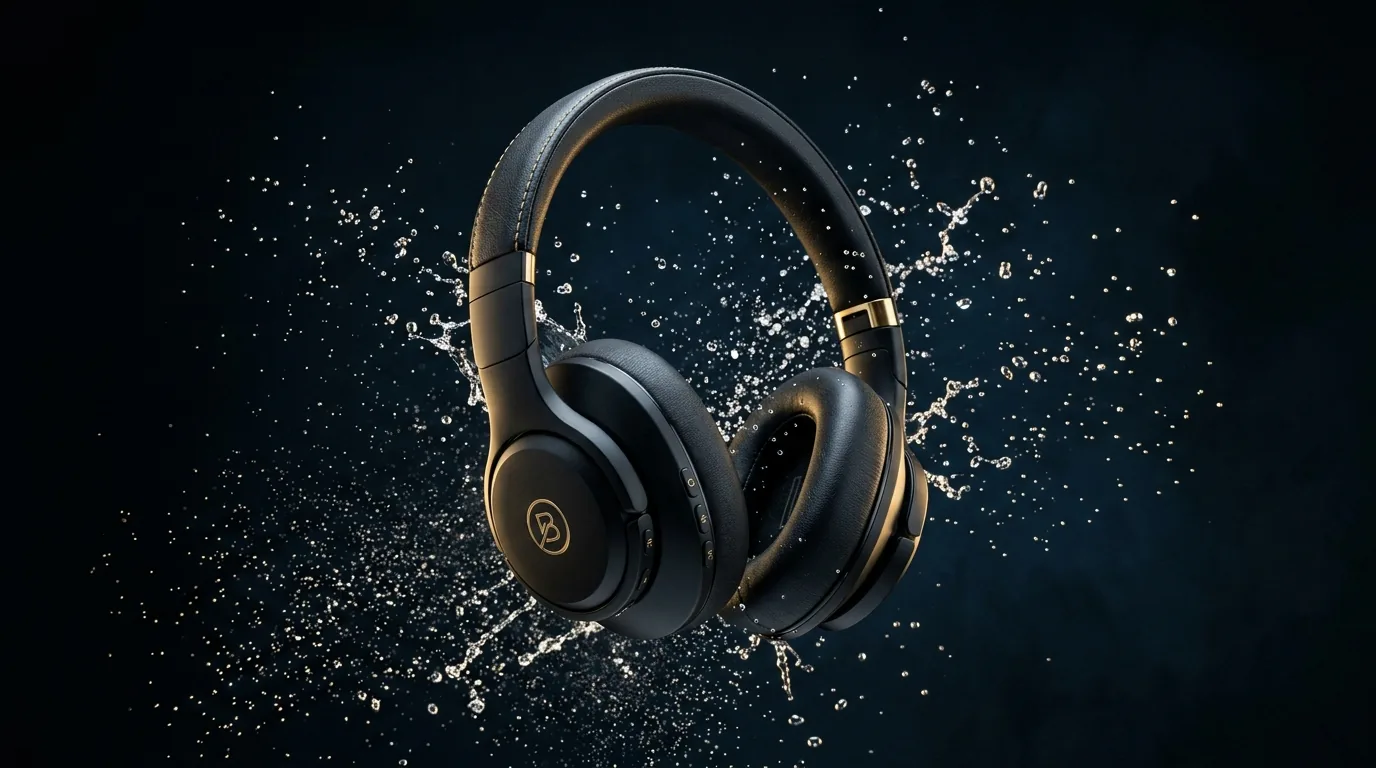
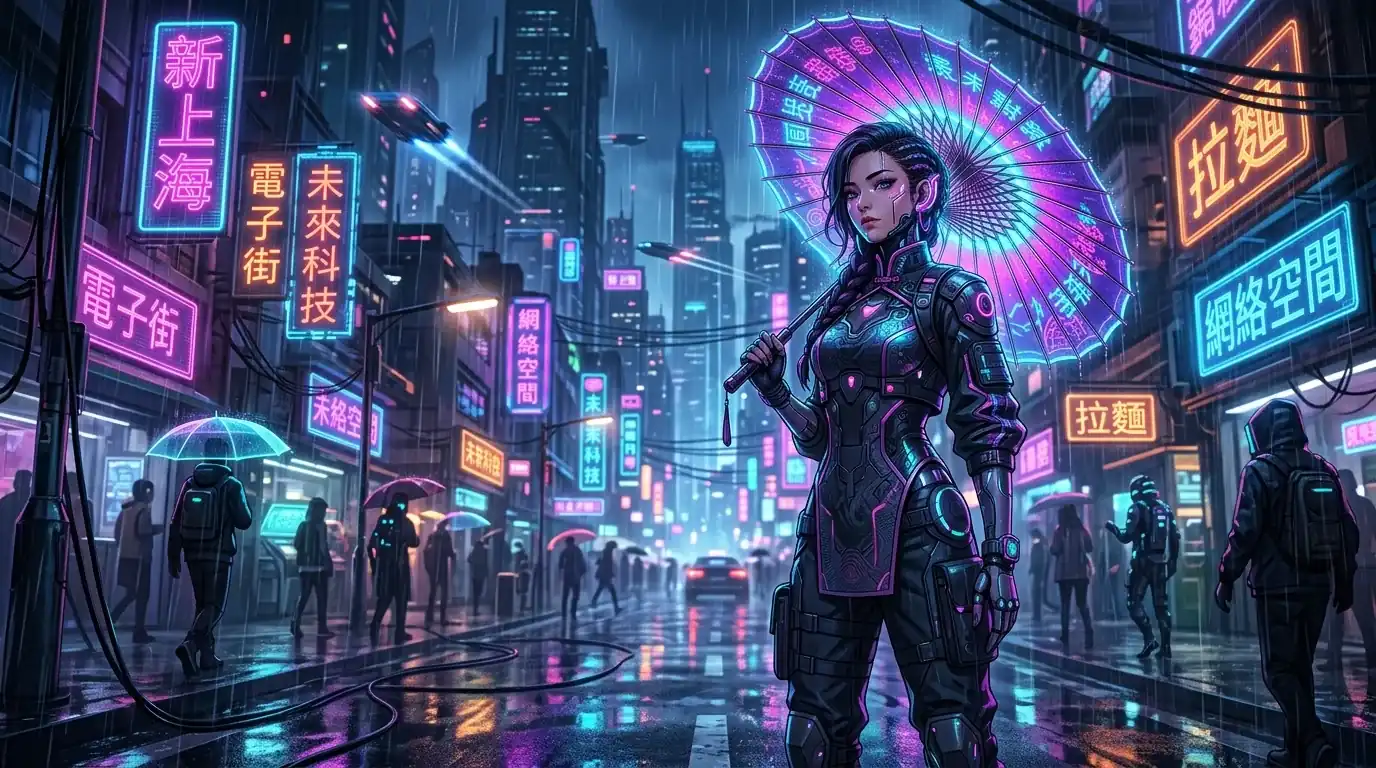
The images below are public image-generation examples from island AI Coding. They are useful as potential first frames or reference images, but they are not labeled as Seedance outputs. The public static site does not currently contain a verifiable Seedance video file with a task record, so this guide does not claim measured quality, identity retention or generation speed.
This boundary improves prompt work: inspect the current image first, decide which regions can move and name the structures that must remain fixed. After generation, save the task ID, input, prompt version, duration, result file and review decision.
2. A six-part prompt formula
| Part | Write down | Avoid |
|---|---|---|
| Subject | Identity, materials, clothing, position and distinctive features | Generic labels such as “a beautiful woman” |
| Action | One movement and its end state | Walking, turning, speaking, changing clothes and changing scenes at once |
| Camera | Static, push-in, track, orbit or limited handheld movement | Several conflicting camera moves |
| Environment | Time, weather, light and limited background motion | Changing weather, location and season inside one short shot |
| Timing | What happens at the start, middle and end | An unstructured list of events |
| Constraints | Face, product shape, clothing, logo and text that must stay stable | Only saying “no distortion” |
3. Product image-to-video template
Commercial studio product video, one continuous shot.
Keep the black over-ear headphones centered. Preserve the headband, two ear cups, material and color.
The headphones rotate about 30 degrees while the camera makes a slow push-in.
Water moves outward and settles; the dark studio background and cool edge light stay stable.
End on a front-facing product frame and hold for two seconds.
Do not add hands, accessories, text, prices, logos or extra products.
The protected details are concrete and inspectable. If the output grows another component or changes the material, shorten the motion and strengthen the fixed-trait sentence before adding more visual style.
4. TikTok vertical prompt template
9:16 vertical social video. Keep the product inside the center 60% of the frame.
0–3 seconds: reveal the product immediately with one fast light sweep.
3–11 seconds: slow push-in and one small product movement.
11–15 seconds: return to a stable front view. Keep the lower 20% clean for captions.
No generated text, price, logo, hands or background change. One continuous shot.
Prepare the vertical first frame before submission. The complete framing, hook, batch and cost process is in the Seedance TikTok workflow.
5. Short drama prompt template
Adult woman wearing a black technical jacket with purple neon edge light, holding a transparent umbrella in her right hand.
Preserve her face, hairstyle, jacket and umbrella structure.
She watches a distant vehicle, then slowly turns her head toward the camera.
The camera moves from a medium shot to a chest-up shot without a cut.
Rain and street reflections continue gently; background pedestrians move slowly.
Do not change the character design or generate readable storefront text.
Copy the same character card into every related shot. Describe only the current shot's action and the pose needed at the end. If a scene contains discovery, pursuit and arrival, split those stages into separate tasks instead of compressing an entire screenplay into one prompt.
6. Animated comic and motion-poster template
Preserve the original illustration composition, face, clothing silhouette, line work and color palette.
The character breathes subtly and blinks once. Hair tips and umbrella tassels move slightly.
Rain continues; neon reflections flow gently on the ground.
Use an extremely slow camera push. No cut and no perspective change.
Do not add characters, speech bubbles, logos or readable text. Do not redraw the face or hands.
Limited animation is often more compatible with an illustration than full-body performance. Put dialogue, subtitles and speech bubbles in the editing layer so text can be revised without regenerating the video. For panel sequencing, character assets, vertical framing and localization, use the Seedance webtoon-to-video workflow.
7. Find prompt risks in the source image

8. Change the prompt for 15 or 30 seconds
| Duration | Prompt design | Current site directory price |
|---|---|---|
| 15 seconds | One subject, one action and one camera movement | CNY 2.50 per successful request |
| 30 seconds | Two or three related stages in one location, each with a defined end state | CNY 3.50 per successful request |
Do not select 30 seconds merely because the nominal price per second looks lower. Longer clips must preserve more state, and a failed long sequence discards a larger unit of work.
9. Before submission and after generation
Before submission
- Confirm that the account has separate Seedance access on the sub-site.
- Inspect the input for incorrect text, hands or duplicated structures.
- Choose one primary action and one camera movement.
- Move captions, logos and complex typography to editing.
- State the protected subject features explicitly.
After generation
- Save task ID, model, duration, prompt version and input-asset hash.
- Inspect faces, hands, product structure, clothing and background continuity.
- Verify file duration, MIME type, size and playback.
- Separate technical success from creative approval before calculating cost.
For endpoint, polling and retry design, use the Seedance API guide. The public model name remains seedance-video; final route, availability and billing come from the current sub-site control panel. Contact QQ 7004054 for activation.
Reviewed October 3, 2026. The templates describe controllable production patterns, not guaranteed model outcomes.